
Seedance 2.5 Flash vs 2.5 for Rap Duo Stage Clips
Compare Seedance 2.5 Flash vs 2.5 for a two-emcee call-and-response clip, with a beat map, rehearsal prompt, and a practical finishing choice.
What's new on this page
- — Page published.
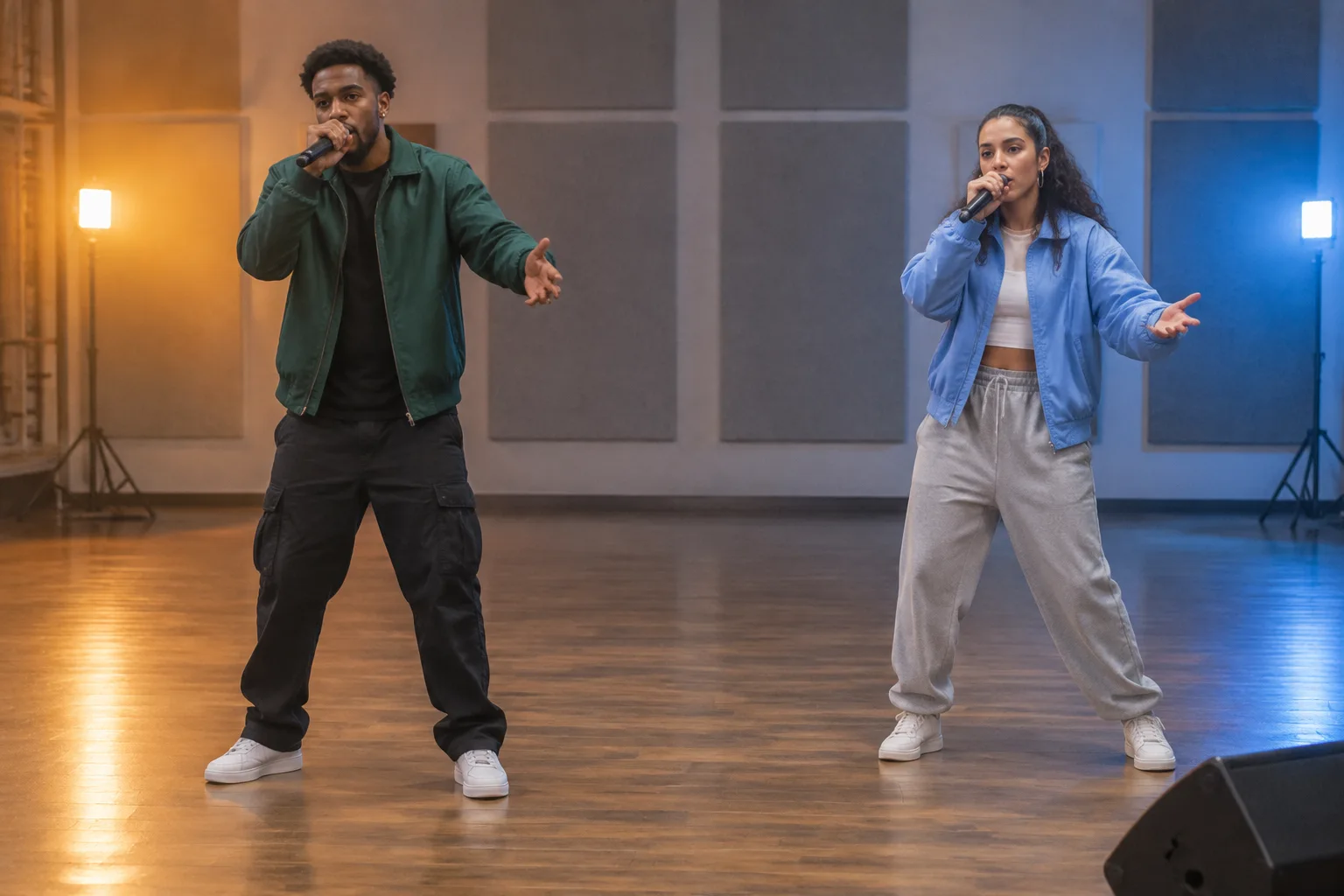
For a two-emcee call-and-response stage clip, test Seedance 2.5 Flash while you are working out blocking, then test standard Seedance 2.5 when you want to refine the shot. The decisive official distinction is that standard 2.5 supports a 480p Draft mode; Flash does not. Both models can generate video, but that fact alone does not establish which will better preserve your performers’ positions or timing. Judge those details in your own generations, and give the final beat to the answering emcee.
Build a beat map before prompting
Treat the clip as a short piece of stage direction, not just a request for “two rappers performing.” Name the performers, assign each a side, and spell out who speaks or moves on each beat. For example, use a 12-second clip with a steady camera and this sequence:
- 0–2 seconds: Establish both emcees in a wide shot. From the camera’s perspective, the caller stays on the left and the answerer on the right.
- 2–4 seconds: Caller delivers the first line and gestures toward the answerer. The answerer listens without crossing the stage.
- 4–6 seconds: Answerer delivers the reply from camera right. Caller turns to acknowledge the response.
- 6–8 seconds: Caller delivers a second, shorter line. Keep both performers’ left/right positions unchanged.
- 8–10 seconds: Answerer gives the final response, taking the visual focus while remaining on camera right.
- 10–12 seconds: Hold on the answerer’s ending gesture as the caller reacts. Do not cut away before the response lands.
This map makes the requirements observable: alternating turns, stable blocking, and a clear ending owned by the answering performer. If a generation swaps sides, makes both emcees rap at once, or ends on the caller, revise the wording or simplify the action before evaluating polish.
Reproducible prompt for a blocking rehearsal
Try this as a starting point, adapting wardrobe and venue to your scene:
Create a 12-second stage-performance video of two fictional emcees doing a clear call-and-response. Keep a wide, front-facing camera shot. Caller A remains camera left throughout; Answerer B remains camera right throughout. Seconds 0–2: show both performers in position. Seconds 2–4: Caller A delivers one line and gestures across the stage; Answerer B listens. Seconds 4–6: Answerer B replies from camera right while Caller A turns toward them. Seconds 6–8: Caller A delivers a shorter second line. Seconds 8–10: Answerer B delivers the final reply and becomes the focus. Seconds 10–12: hold on Answerer B’s finishing gesture while Caller A reacts. Preserve the left/right positions. Do not swap performers, add a third performer, or end before Answerer B’s response.
For a blocking rehearsal, use Flash as one model to try. Do not assume it has Draft mode: BytePlus ModelArk lists 480p Draft support for standard Seedance 2.5, not Flash. When moving into finishing, test standard 2.5 with Draft if a lower-resolution review pass suits your workflow; then assess the resulting clip on its actual blocking, expressions, and ending. The documentation does not guarantee a particular result for this scene. Compare your outputs rather than treating the model names as a promise of performance.
Choose by the job, not the label
The practical choice in Seedance 2.5 Flash vs 2.5 is therefore workflow-specific: try Flash during early blocking exploration, and try standard 2.5 for a finishing pass when its documented Draft option is useful. Keep the beat map fixed between attempts so you can inspect the same staging requirements. That is a proposed evaluation method, not a benchmark or a claim that one model will always win. Check the BytePlus ModelArk documentation for the official model details, and confirm current access and terms through the provider rather than assuming on-site availability or fixed pricing.
For a separate practice exercise, try the Christmas dance trend tool. Watch who holds still during each side-step, then apply that observation to the listener in your call-and-response shot.