
King Jin AI: Find the Template or Edit a Three-Beat Entrance
Looking for a King Jin AI template, or planning an original entrance clip? Find the template-search route, count beats from your chosen music, and shape a three-beat cue sheet for a confident doorway reveal.
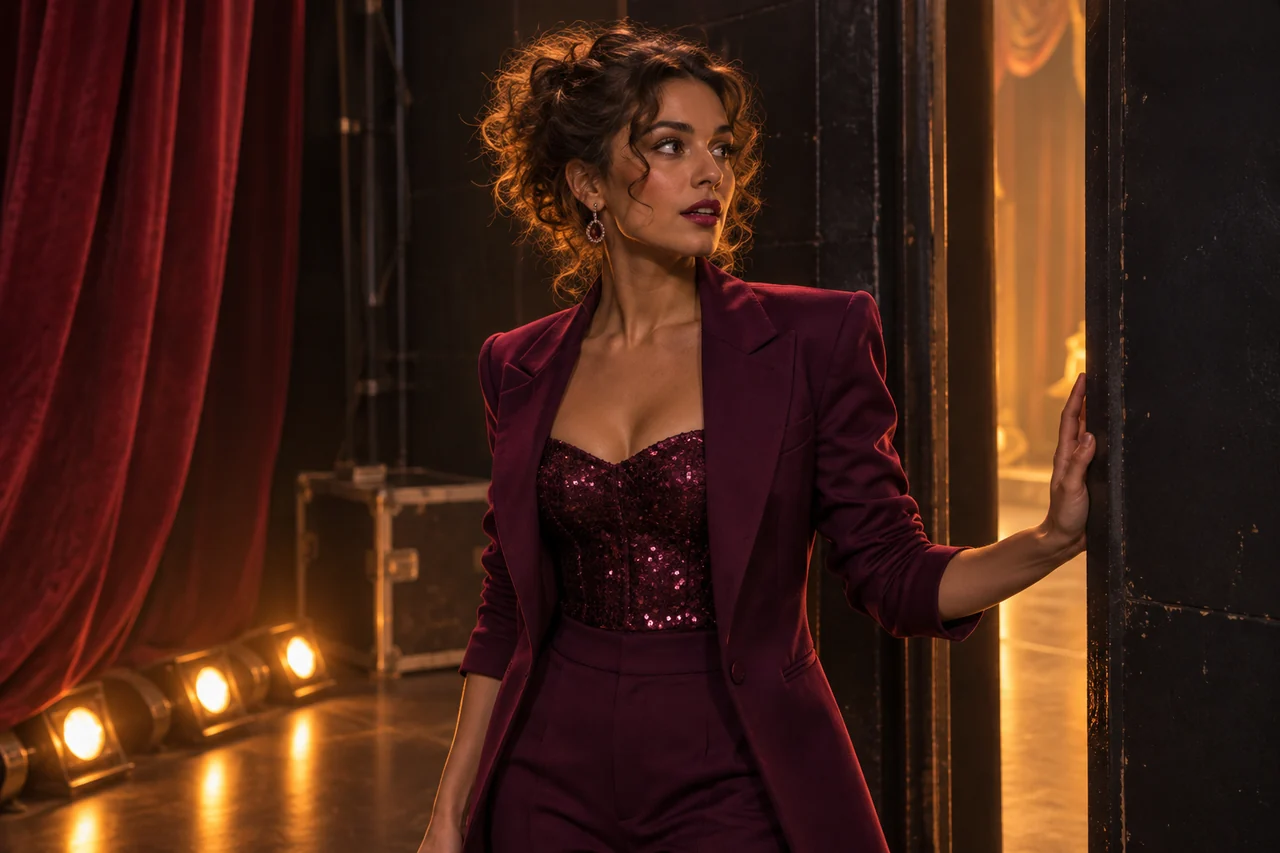
If you’re searching for the King Jin AI entrance trend, compare the CapCut preview with the clip you saw. If you’d rather make the scene your own, build the entrance around a clear visual pause and a bass hit in your chosen track. This guide covers both routes—and offers an original cue sheet you can adapt without using the trend’s original sound.
Search for the template first
CapCut lists template 7706386157629705473 under the generic title “AI trend.” Compare its preview with the clip you saw to decide whether the pacing and framing match. Availability can vary by account and device.
If you find a CapCut template link in a tutorial, CapCut’s general help route is to open the link on a mobile device, review the template preview, select photos you’re authorized to use, and check each crop before exporting. See CapCut’s template-use help and the CapCut listing for AI trend. Availability and the steps you see may depend on the link and app experience, so use the preview to judge whether the template suits your material.
Before choosing photos, check whether the template’s pacing and framing fit the scene you want. A dramatic entrance often needs a readable approach, a pause, and a reveal. If the preview cuts too quickly to show those actions—or crops out the doorway or performer—an original edit may give you more control.
Count your own track without the original sound
You can time a visual cut to a track you choose without relying on a template’s original audio. First, import the track you’re allowed to use into your editor. Listen for a distinct bass hit, drum accent, or other transient that can serve as the reveal cue. Then mark that moment on the timeline and place the visual change there.
To count beats, tap along at a steady pulse and count each beat in groups of four: 1, 2, 3, 4. Keep counting through the section leading to your chosen hit. If the hit lands on the next “1,” you can build the entrance so the performer approaches on earlier beats and holds just before it. If the track has a clear half-time feel or the accents are uneven, follow the pulse that feels natural rather than forcing every sound into a count.
A practical check: mute the video’s source audio if it contains sound you don’t want, then play the edit with your chosen track. Watch for the image change at the cue. If the reveal feels early, late, or visually confusing, adjust the cut or hold; don’t assume the music needs to change. These are editing suggestions, not results from a tested export.
An original three-beat cue sheet
Here’s a fictional working example: an adult performer in a plum stage jacket approaches a backstage doorway and holds just before a bass hit. The scene is original guidance, not a description of a particular template.
| Beat | Picture | Edit cue |
|---|---|---|
| 1 | Show the performer at the edge of the frame, facing the doorway. | Establish the doorway and leave room in the frame for the approach. |
| 2 | The performer takes a measured step toward the entrance. | Keep the shot steady enough for the movement to read. |
| 3 | The performer stops just short of the doorway and holds. | Cut to the doorway interior or a closer view on the bass hit. |
The pause is the point: it gives the audience a moment to anticipate the entrance. If your chosen music’s bass hit lands on a different count, shift the approach and hold to match it. The cue sheet is a starting plan, not a fixed timing rule.
Diagnose the cut before adding effects
If the entrance feels rushed, check how much screen time the approach gets. Add a little space before the reveal or remove an extra movement that doesn’t help the action. If the performer seems to stop for no reason, make the doorway, the hold, or the music cue more legible. If the reveal feels disconnected from the track, check the timeline against the actual bass transient—not only your spoken count.
Also inspect the frame at the moment of the cut. A crop that hides the performer’s face, jacket, or doorway can make a well-timed edit hard to read. Watch the sequence once without effects and once with the music. If the scene works without a flash, zoom, or shake, those additions are optional rather than necessary.
Try this quick exercise
Make a three-shot draft: the performer approaches, stops before the doorway, then appears in the reveal shot. Count your chosen track in fours and mark one bass hit. Place the stop immediately before that mark and the reveal on it. Play the edit, then move the reveal one beat earlier and one beat later. Keep the version where the pause reads clearly and the cut feels intentional.
For more editing inspiration, browse AI video ideas. The aim is a confident entrance that fits your chosen track—not a claim that every template link, timing pattern, or export will behave the same way.
What's new on this page
- 2026-11-23 — Page published. Added a template-preview guide and an original entrance-scene exercise.